
Energy

Solar inverters (SunSpec, Huawei)
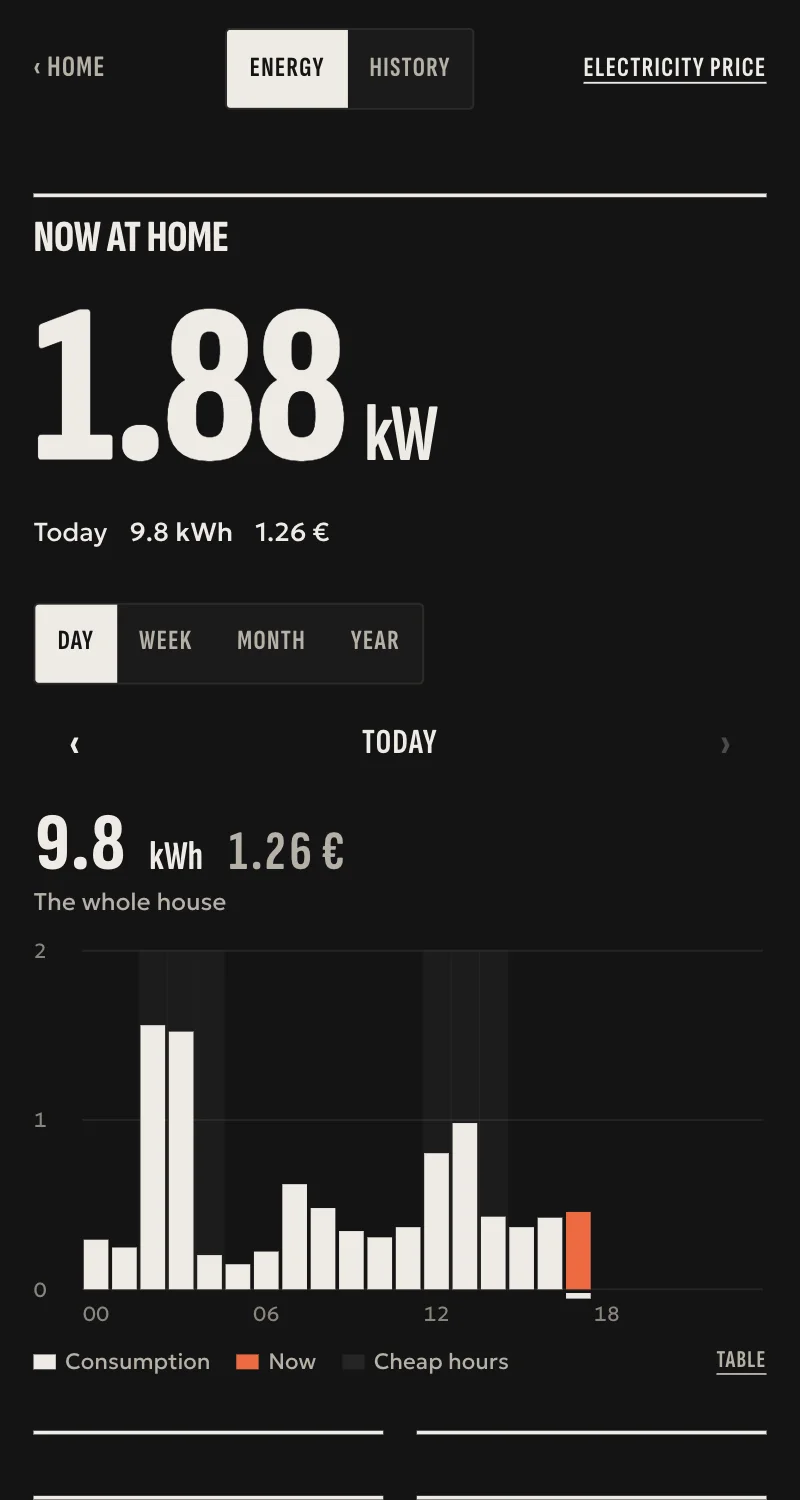
The panels' output and what the house buys from or sells to the grid, in Energy, from the inverter on the local network. Read only.
What it does
- Inverters with SunSpec Modbus TCP, such as SMA, Fronius, SolarEdge and Kostal: power and lifetime output.
- Huawei SUN2000 through its SDongle: power and lifetime output.
- With a meter at the grid connection: grid power, energy from the grid and energy to the grid.
- Energy counts the output as solar and the meter as the grid by itself, and the house's power is what it buys plus what it makes.
- The inverter is read every 15 seconds. The hub never writes to it.
Worth knowing
- Needs Modbus TCP switched on in the inverter: on Huawei from FusionSolar, on the others by the inverter's installer.
- Battery, per-string power and inverter faults are not shown yet.
- Tested against a simulated device so far, not yet on a real inverter.
Setup guide
Driver: systems.arvio.solar. Local: the hub reads the inverter on the home's network over Modbus TCP. It needs no internet and no account, and it never writes to the inverter.
For inverters with SunSpec (SMA, Fronius, SolarEdge, Kostal) and Huawei SUN2000 with an SDongle.
What you need
- The inverter on the same network as the hub, its address reserved on the router.
- Huawei: an SDongle with firmware SPC123 or later. In FusionSolar, as installer: Settings → Communication configuration → Dongle parameter settings → Modbus-TCP set to unlimited, or limited to the hub's address. Note the inverter's RS485 address (usually 1).
- SMA, Fronius, SolarEdge, Kostal: Modbus TCP (SunSpec) switched on by the inverter's installer. On Fronius it is switched on in the Datamanager.
- For buying and selling in Energy: a meter at the grid connection, wired to the inverter.
How it connects
In Partner, open the hub and go to «Συσκευές» → «Προσθήκη συσκευής» → «Φωτοβολταϊκά».
- Type the inverter's address. If it is not port 502, add it after a colon, e.g.
192.168.1.80:1502. - Pick the kind: SunSpec, or Huawei SUN2000 with SDongle.
- Slave id: leave it empty for SunSpec (the hub tries 1 and 126). For Huawei, type the inverter's RS485 address.
- Give it a name, e.g. «Φωτοβολταϊκά ταράτσας», and press «Σύνδεση».
When Partner says «Προστέθηκε», open the hub's Energy: the inverter is counted as solar and the meter as the grid by themselves. Change the role there if needed.
What works
- The inverter's power and lifetime output.
- With a meter: grid power (positive when the house buys), energy from the grid and energy to the grid.
- In Energy: what the panels made, what the house sold and bought, and the house's power as what it buys plus what it makes.
- Read every 15 seconds.
Limits
- Battery, per-string power and inverter faults are not shown yet.
- Huawei only through the SDongle, not through the inverter's own Wi-Fi.
- The sign of grid power on a SunSpec meter has not been checked on a real meter. The bought and sold kWh are right.
- Tested against a simulated device so far, not yet on a real inverter.
If something goes wrong
- «Δεν απαντά σε Modbus TCP»: Modbus TCP is off, or the address is wrong. On Huawei check the SDongle's firmware and the FusionSolar setting.
- «Απαντά, αλλά όχι με SunSpec»: if it is a Huawei, pick «Huawei SUN2000 με SDongle». Otherwise ask the inverter's installer to switch SunSpec on.
- «Δεν δίνει στοιχεία inverter»: wrong slave id. On Huawei it is the inverter's RS485 address.
- Grid power looks reversed on SunSpec: the kWh stay right. Report the meter's brand and model so it can be fixed.
- Shows «Χωρίς σύνδεση» later: the inverter changed address, or closes Modbus at night. Reserve the address on the router. The hub tries again by itself.