
Security

SIA DC-09 alarm receiver
The hub's receiver for alarm panels that report over SIA DC-09, such as Hikvision AX Pro, Dahua AirShield and Ajax: arming, disarming and alarms reach Arvio inside the home, with no internet too.
What it does
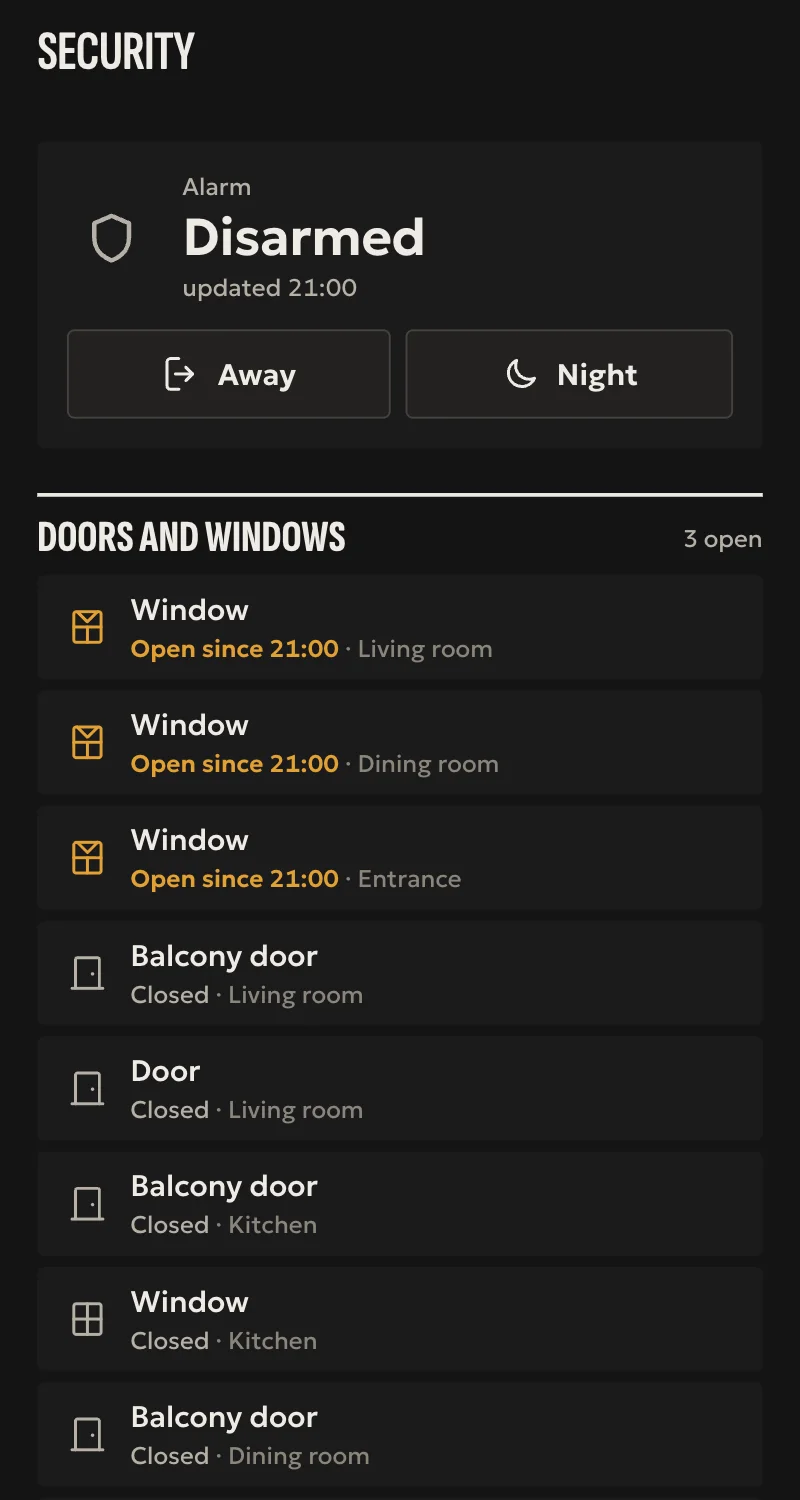
- The panel in Home: armed, armed home, disarmed, or in alarm until it is disarmed.
- Fire, water, tamper, mains loss and low battery as sensors, once the panel first reports them.
- SIA and Contact ID, with AES encryption. With a key, the hub takes only encrypted, recent messages.
- Only accounts the installer wrote, and only from the home's network. With supervision, a panel that went quiet shows unavailable.
Worth knowing
- Receive only: it does not arm or disarm. That is done on the panel and its app.
- One panel is one alarm: its areas are not shown apart.
- Tested so far with messages from other receivers and against a simulation, not yet with a real panel.
Setup guide
Driver: systems.arvio.sia. Local: the panel talks to the hub inside the home, with no internet.
Many alarm panels send their events to an alarm receiving centre over SIA DC-09: Hikvision AX Pro, Dahua AirShield, Ajax and others. Here the receiving centre is the hub. So Arvio learns arming, disarming and alarms, with no account in the maker's cloud.
What you need
- The panel on the same network as the hub, with the hub's address reserved on the router.
- Installer access to the panel (in its app or its page), at the «Alarm Receiving Centre» (ARC) setting.
- An account number and, better, an encryption key of 16, 24 or 32 characters.
How it connects
If the driver is not in «Προσθήκη συσκευής» (Add device), bring it into the installation first: Marketplace → this driver → «Εισαγωγή σε εγκατάσταση» (Import into installation).
- In Partner: «Προσθήκη συσκευής» → «Συναγερμός (SIA DC-09)» (Alarm, SIA DC-09). Type the account number, the key and a name, and press «Αποθήκευση» (Save).
- On the panel, at the receiving centre:
- address: the hub's address;
- port: 12128, or the one you typed in Partner;
- protocol: SIA DC-09, with SIA or Contact ID;
- account and key: the same as in Partner;
- heartbeat: if it has one, every few minutes, and type the «Έλεγχος σύνδεσης» (supervision) in Partner.
- Arm and disarm once from the panel. The alarm shows in Home with the state it sent.
What works
- The panel in Home: armed, armed home, disarmed, or in alarm until it is disarmed.
- Fire, water, tamper, mains loss and low battery as sensors, once the panel first reports them.
- SIA and Contact ID, with AES encryption.
- With a key, the hub takes only encrypted messages, and only recent ones, so nobody on the network can write a false «disarmed».
- Only accounts the installer wrote, only from the home's network.
- With supervision, a panel that went quiet shows unavailable.
Limits
- Receive only: Arvio does not arm or disarm. That is done on the panel, its keypad and its app.
- One panel is one alarm: its areas are not shown apart.
- A panel may send to one receiving centre only. If the home already has a monitoring company, first ask whether the panel has a second channel.
- Tested so far with messages from other receivers and against a simulation, not yet with a real panel.
If something goes wrong
- Nothing comes: check the address and port on the panel, and that it is on the same network as the hub.
- The panel says the centre refuses: the account or the key is not the same as in Partner. With a key, also check the panel's clock, as the hub refuses messages more than a few seconds off.
- It shows unavailable while it works: the panel's heartbeat is sparser than the supervision. Make it longer in Partner.