
Switches and covers

Shelly (Gen2, Gen3, Gen4)
Shelly Gen2, Gen3 and Gen4 relays, dimmers, cover controllers and energy meters on the local network. No internet or Shelly account needed.
What it does
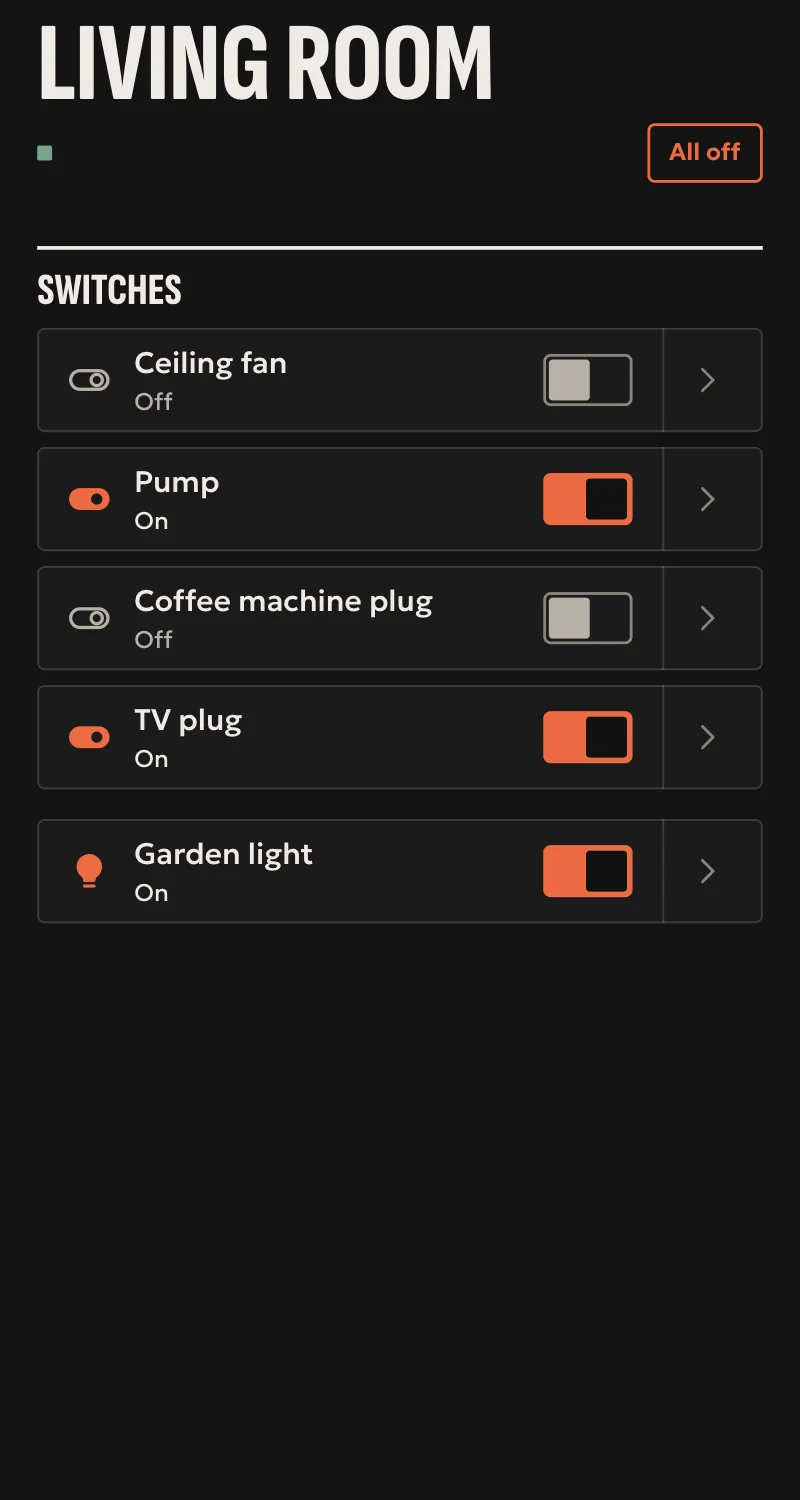
- Relays: on, off, toggle.
- Dimmers: on, off, toggle, brightness.
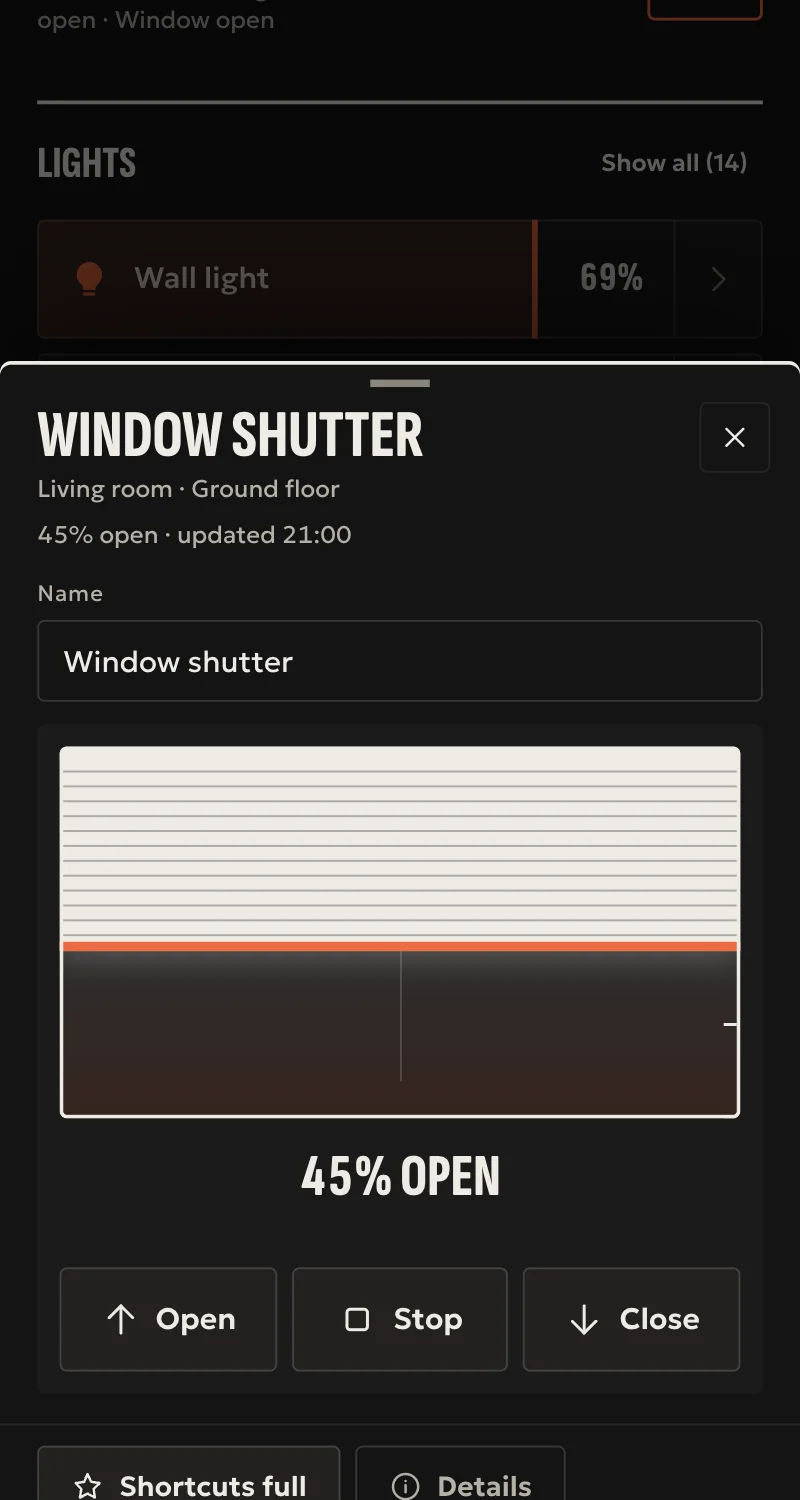
- Covers: open, close, stop, and set position where the device reports position control.
- Inputs as on/off sensors, and button presses as events for automations.
- Password-protected devices.
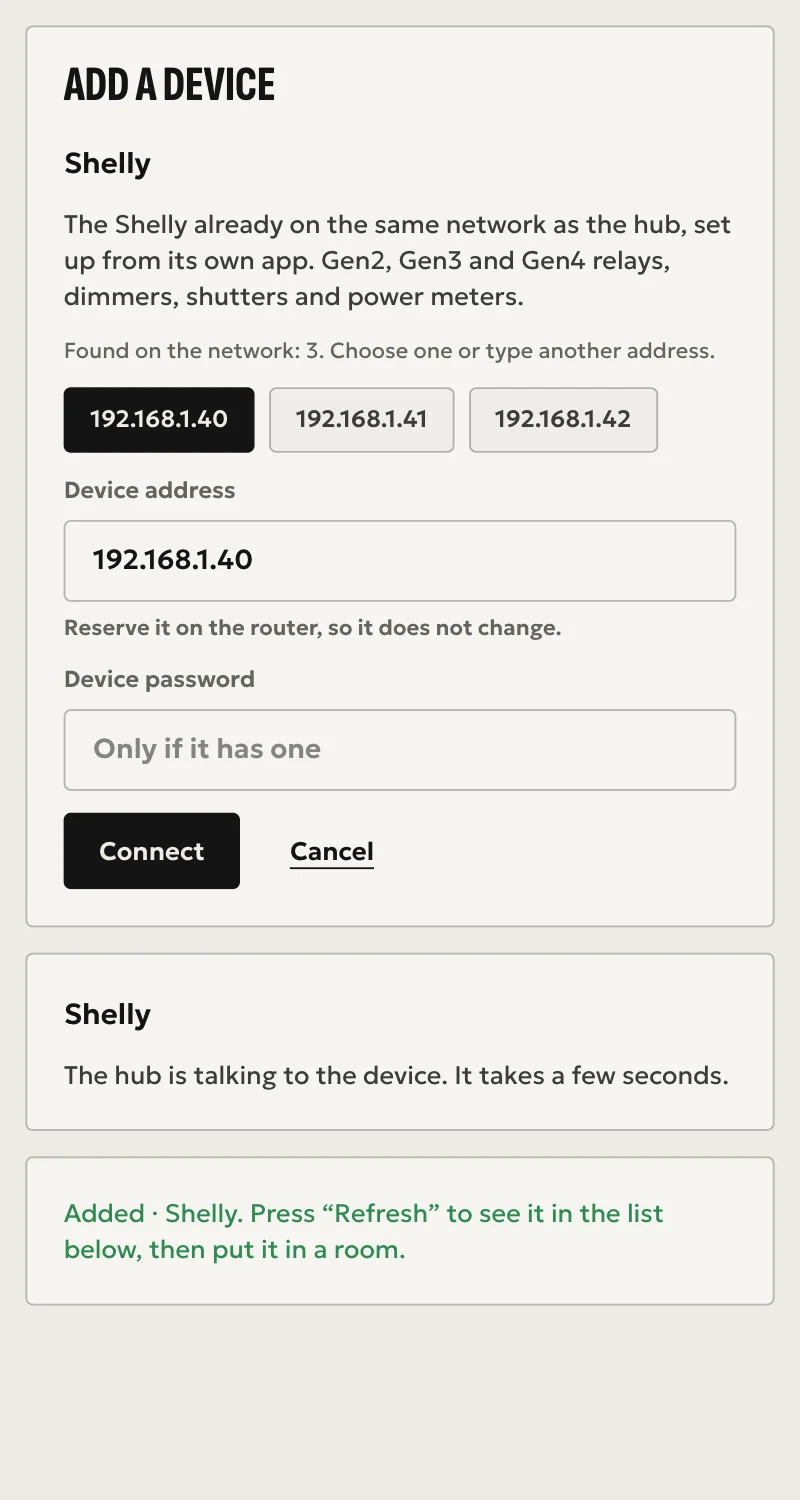
- Added from Partner: the hub finds Shellys on the network, or you type the address.
- Every command is confirmed by reading the device back.
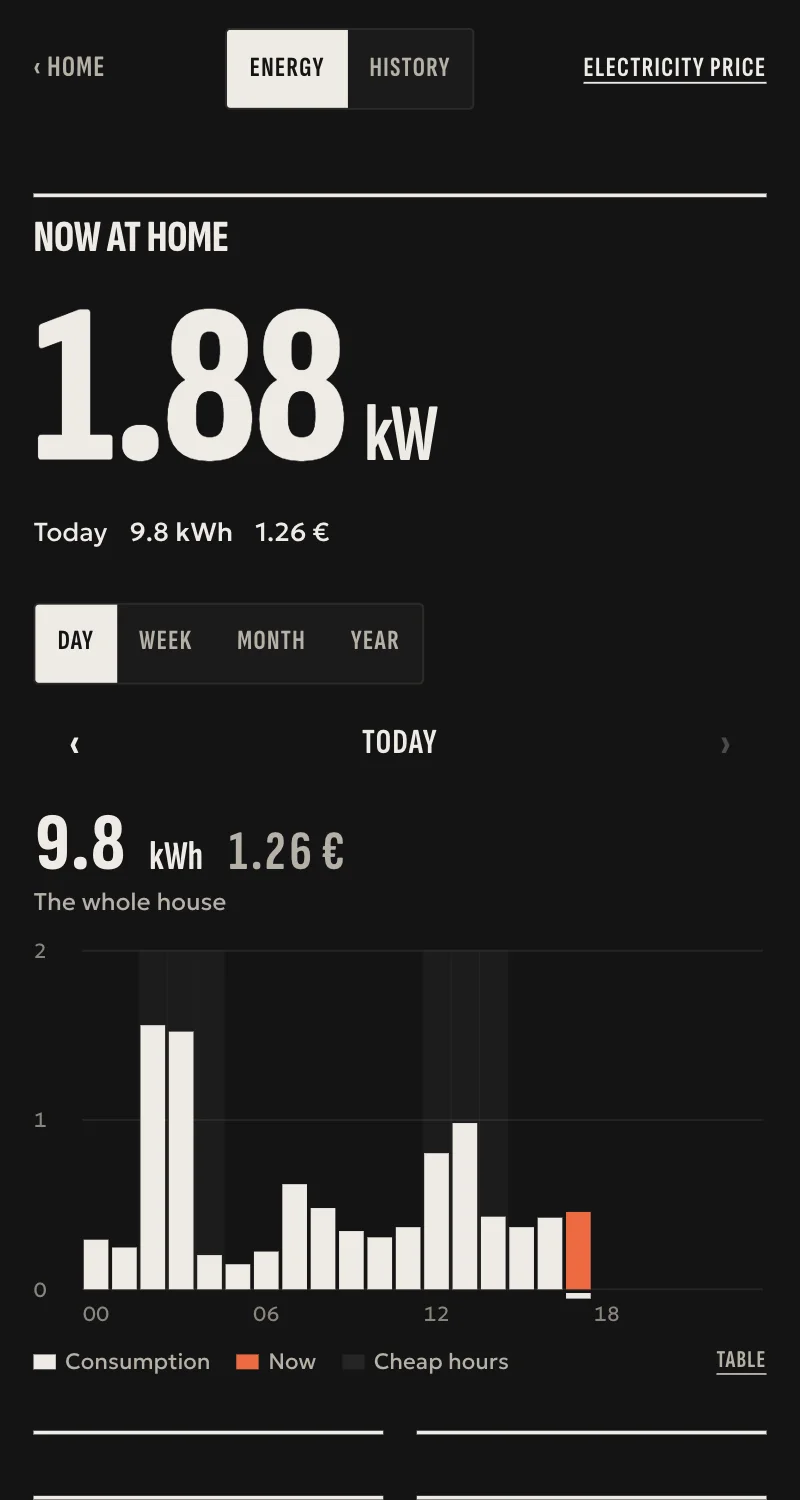
- Meters: power and energy from relays, PM and EM, 3EM panel meters, for Energy in Home.
Worth knowing
- Gen1 devices are not supported.
- RGB outputs are not supported.
- Tested against a simulated device so far, not yet on a real Shelly.
Setup guide
Driver: systems.arvio.shelly. Local: no internet and no Shelly account needed.
For Shelly Gen2, Gen3 and Gen4 relays, dimmers and cover controllers. Gen1 devices will not connect.
What you need
- Each Shelly already on the same network as the hub, set up in its own app or web page.
- A fixed address for each device. Reserve it in the router. The driver stays on that address: if it changes, the driver does not find it by itself.
- The device's password, if it has one.
How to connect
If the driver is not in «Προσθήκη συσκευής» (Add device), bring it into the installation first: Marketplace → this driver → «Εισαγωγή σε εγκατάσταση» (Import into installation). Whatever «Εύρεση στο δίκτυο» (Find on the network) finds comes in by itself.
In Partner, open the hub and go to «Συσκευές» (Devices) → «Προσθήκη συσκευής» (Add device) → «Shelly».
- Pick the device from those the hub found, or type its address.
- If the device has a password, type it.
- Press «Σύνδεση» (Connect).
When Partner says «Προστέθηκε» (Added), press «Ανανέωση» (Refresh): the device appears under «Συσκευές» (Devices), one entry per relay, dimmer, cover or input. Put them in rooms from «Δωμάτια» (Rooms).
What works
- Relays: on, off, toggle.
- Dimmers: on, off, toggle, brightness.
- Covers: open, close, stop, and set position where the device reports position control.
- Inputs as on/off sensors, and button presses as events for automations.
- Every command is confirmed by reading the device back.
- Meters: power and energy from relays, PM and EM, 3EM panel meters, for Energy in Home.
Limits
- Gen1 devices are not supported.
- RGB outputs are not supported.
- Tested against a simulated device so far, not yet on a real Shelly.
Troubleshooting
- A device never appears → it may be Gen1, the address may be wrong, or the password is missing or wrong. A device with a wrong password is not shown at all.
- A device shows as unavailable → it is off the network or its address changed. The driver keeps trying, at most a minute apart. If the address changed, give the new one to SFK.
- A cover has no position control → the device does not report position control, so Arvio offers open, close and stop only.
- An input reads as unknown → it has no on/off state, as with a button. Its presses still arrive as events.