
TV and audio

Arvio Music
Our own music. Chromecast and Nest speakers and displays, Google Home groups, AirPlay speakers and TVs, Sonos speakers, radio and your music folder. Radio needs internet.
What it does
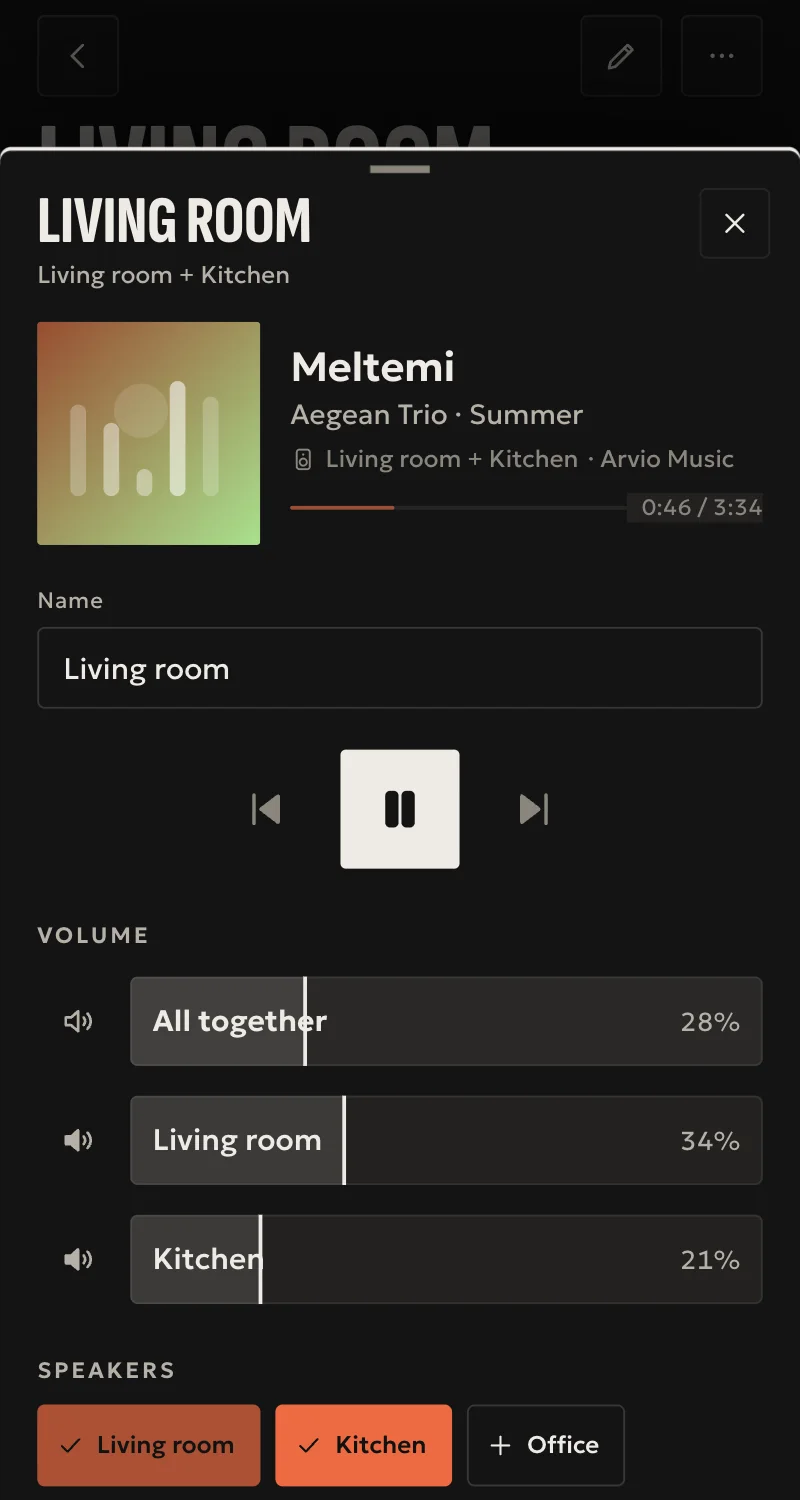
- Play, pause, stop, seek, volume, mute, on and off, each confirmed by the speaker.
- Each Google Home group is one speaker in Arvio.
- AirPlay speakers: the music starts from the hub, and volume is kept between tracks.
- Apple TV and AirPlay 2 TVs: paired once with the PIN on the screen, from Partner.
- Sonos speakers: the hub finds every room by itself, with no Sonos account. Home's «Play together» makes them a Sonos group, in sync, and soundbars have the source «TV».
- A Sonos never shows up a second time as an AirPlay speaker.
- Albums: a folder plays whole, in order, with next and previous, on every speaker.
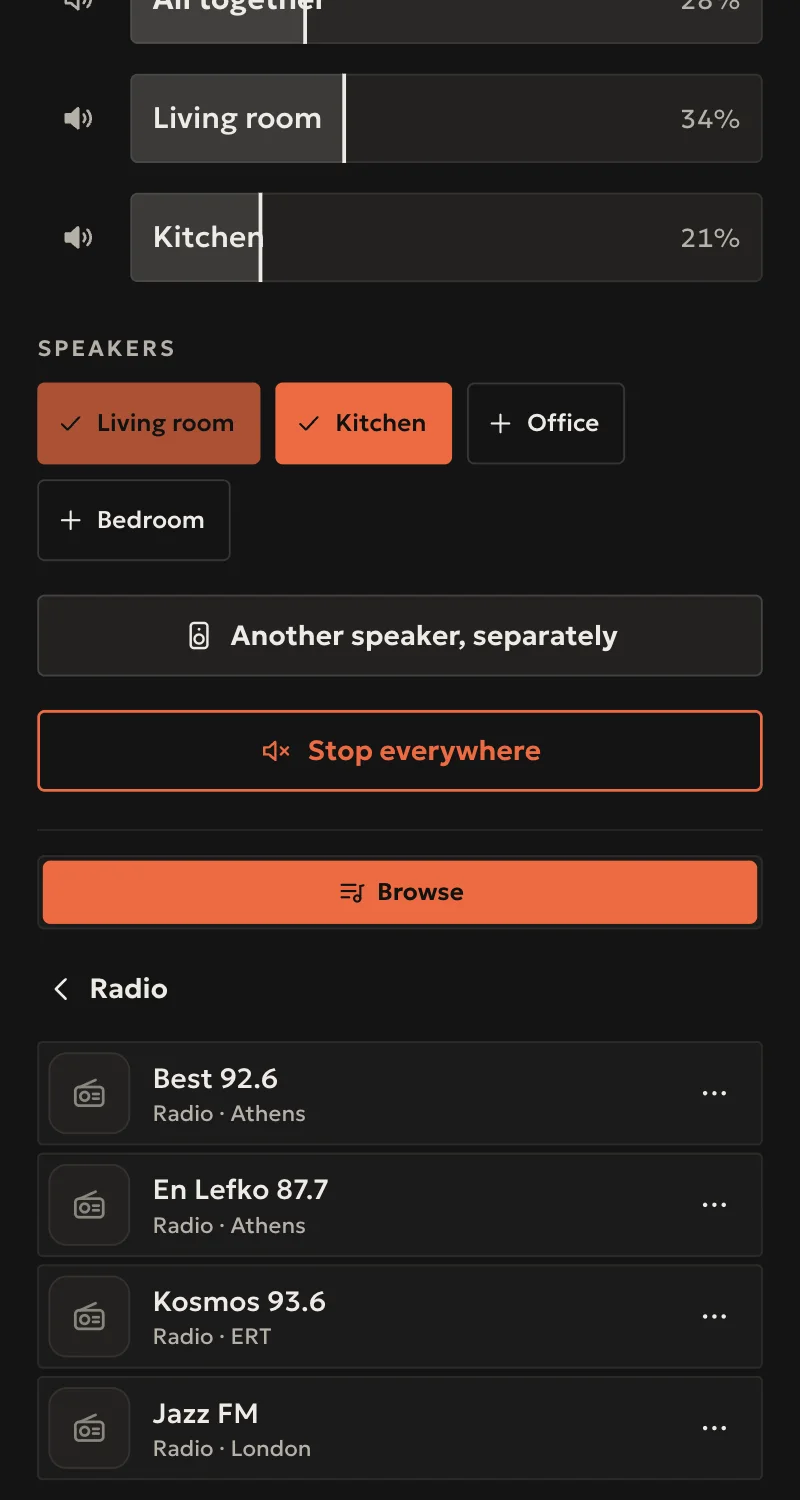
- Radio: Greek stations by popularity, and search across the whole Radio Browser directory.
- Your music: browsing by folder, and search on file and folder names.
- "Speakers" in Home: the same track or station on another speaker.
- From Spotify to a speaker: volume works from Home.
Worth knowing
- You cannot build a queue of your own. A folder plays whole, up to 200 tracks.
- Mac is not supported yet as an AirPlay speaker. In a group mixing Chromecast with AirPlay, on radio, the speakers sound nearly together, not exactly, as they share no clock (tried on a HomePod mini, HomePod OS 27, with a Nest Hub and a Home Mini).
- AAC stations and files (.aac, .m4a) are not shown, on any speaker.
- No Spotify search inside Home. You play from the Spotify app.
- Search reads file names, not tags, up to 100,000 files.
- A public venue needs its own licence for the music it plays.
- What plays on Sonos from its own app's services (Spotify, Sonos Radio) shows with its title, without browsing from Home.
- AirPlay and Chromecast have played on real speakers. Sonos and albums have been tested against simulated speakers only so far.
Setup guide
Driver: systems.arvio.music. Speakers and the music folder work locally, with no account. Radio needs internet.
For Chromecast and Google Nest speakers and displays, Google Home groups, AirPlay speakers and TVs, and Sonos speakers.
What you need
- The speakers on the same network as the hub. Chromecasts set up in the Google Home app, where groups are made too.
- For your own music: a folder on the hub, for example a NAS share mounted there. Files in mp3, flac, ogg, opus or wav.
- Sonos speakers set up from the Sonos app. The hub needs no Sonos account.
- For Chromecast and Sonos, the hub reachable from the speakers on port 8097. They fetch the files from it.
How to connect
The hub finds speakers and groups on the network by itself. Each one appears in Partner under "Devices". Put them in rooms from "Rooms".
The Partner screen for the rest does not exist yet. For now SFK does it on the hub:
- For your own music, give SFK the folder's path on the hub.
- For a speaker on another subnet, give SFK its address and a name. Reserve the address in the router.
An Apple TV, TV or speaker that asks for a PIN does not appear by itself. In Partner, under «Προσθήκη συσκευής» (Add device), press «Ηχείο ή τηλεόραση AirPlay» (AirPlay speaker or TV), pick the device and type the PIN on its screen. You do this once.
In Home, open a speaker. "Browse" has Radio and My music, and "Search" finds tracks and stations. A folder in My music has its own "Play": it plays whole, as an album.
A Sonos never shows up a second time as an AirPlay speaker.
What works
- Play, pause, stop, seek, volume, mute, on and off. Every command is confirmed by the speaker's own status.
- Each Google Home group is one speaker in Arvio.
- Albums: a folder plays all its tracks in order, sub-folders included, with "Next" and "Previous", on every speaker. On a Sonos it goes into the Sonos's own queue.
- AirPlay speakers: the music starts from the hub. Volume starts low and is kept between tracks.
- Sonos speakers: one per room. Home's «Παίζουν μαζί» (Play together) makes them a Sonos group, playing in Sonos's own sync. A room in a group follows it for play, pause and stop, and keeps its own volume. Give it something else to play and it leaves the group, as in the Sonos app.
- Sonos soundbars (Arc, Beam, Ray, Playbar, Amp): the source «TV», for the TV's sound.
- Radio: Greek stations by popularity, and search across the whole Radio Browser directory.
- Your music: browsing by folder, and search on file and folder names, ignoring accents.
- "Speakers" in Home: the same track or station on another speaker. A track starts at the same second.
- When you play from Spotify to a speaker, volume works from Home. Title and pause show as far as the app on the speaker reports them.
Limits
- You cannot build a queue of your own. A folder plays whole, up to 200 tracks.
- On Chromecast and AirPlay the hub keeps the album: there is a short gap between tracks, and if the hub goes off, the music stops at the end of the track. On Sonos the Sonos keeps it.
- "Next" and "Previous" on a Sonos only for an album started from Home, not for a queue from the Sonos app.
- Mac is not supported yet as an AirPlay speaker. In a group mixing Chromecast with AirPlay, on radio, the speakers sound nearly together, not exactly, as they share no clock (tried on a HomePod mini, HomePod OS 27, with a Nest Hub and a Home Mini).
- AAC stations and files (.aac, .m4a) are not shown, on any speaker.
- On AirPlay speakers, pause and seek restart the stream, so it takes 1–2 seconds to be heard.
- No Spotify search inside Home. You play from the Spotify app.
- Search reads file names, not tags. Up to 100,000 files. A new file is found within 10 minutes.
- Each folder shows up to 500 rows.
- A public venue needs its own licence for the music it plays.
- On Sonos, a paused station stops, and starts again from the live point. A Chromecast or AirPlay speaker does not join a Sonos group: it plays a copy.
- AirPlay plays radio from Home on a real adapter (Belkin Soundform), and Chromecast on real Google speakers at the SFK office (2026-11-06). Sonos and albums have been tested against simulated speakers only so far.
Troubleshooting
- A speaker does not appear → it is on another subnet, or the network blocks multicast. Give SFK its address.
- A paired device asks for a PIN again → it forgot the hub, for example after a reset. Pair it again from Partner.
- An AirPlay speaker stopped by itself → someone played to it from a phone or computer. The last one to start wins.
- A speaker shows as unavailable → it is unplugged or off the network. The hub reconnects by itself once it answers.
- Radio is empty or shows an error → the hub has no internet, or the directory is not answering right now.
- There is no "My music" → no folder has been set.
- "The speaker could not play it" → the station is not broadcasting, or the speaker cannot play that format. Try something else.
- A Sonos shows up as an AirPlay speaker → the hub has not found the Sonos yet. Once it does, the AirPlay row goes away by itself. If it stays, give SFK the Sonos's address.
- On Chromecast or Sonos, folder files do not play while radio does → something blocks port 8097 between the speaker and the hub.
- A file you just added is not found → wait up to 10 minutes, or open it from "Browse".