
TV and audio

LG webOS TV
LG webOS TVs on the local network: on, off, volume, source and Home's remote. No internet or LG account needed.
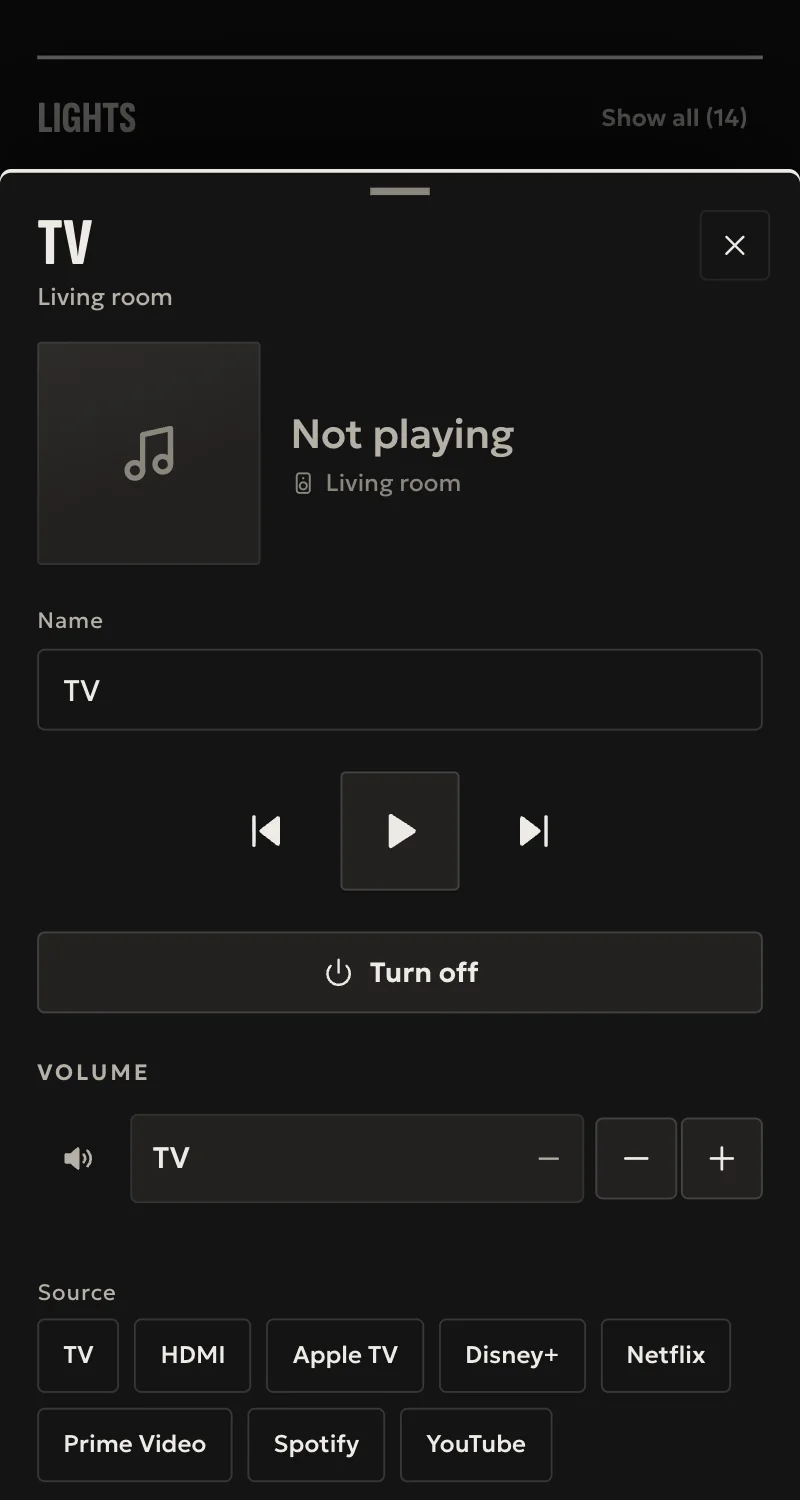
What it does
- Connected from Partner with one “Accept” on the TV. The hub finds it on the network by itself.
- Off, and on over the network where the TV allows it.
- Volume, mute, and the source: HDMI inputs and the TV's apps.
- Home's remote: arrows, OK, back, home.
- Whatever the TV's own remote changes shows in Home at once.
Worth knowing
- The title and picture of what plays are not shown, nor channels.
- Turning on from Home needs the TV's «Turn on via Wi-Fi» or «via network».
- Tested against a simulated TV so far, not yet on a real LG TV.
Setup guide
Driver: systems.arvio.lg-tv. Local: it needs no internet and no LG account.
For LG TVs with webOS, from 2014 on.
What you need
- The TV switched on, on the same network as the hub.
- Someone in front of it with the remote, for one “Accept”.
- Its address reserved on the router.
- To turn it on from Home: in the TV's settings, «Turn on via Wi-Fi» or «Turn on via network» switched on. The name changes from model to model.
How it connects
If the driver is not in «Προσθήκη συσκευής» (Add device), bring it into the installation first: Marketplace → this driver → «Εισαγωγή σε εγκατάσταση» (Import into installation).
In Partner, open the hub and go to «Συσκευές» → «Προσθήκη συσκευής».
- Press «Τηλεόραση LG» and pick the TV it found, or type its address.
- Give it a name, e.g. «Σαλόνι TV».
- Press «Σύνδεση». The TV asks whether to allow Arvio: press “Accept” with the remote within a minute.
When Partner says «Προστέθηκε», press «Ανανέωση» and put it in a room.
What works
- Off, and on over the network where the TV allows it.
- Volume, mute, and the source: HDMI inputs and the TV's apps.
- Home's remote: arrows, OK, back, home.
- Whatever the TV's own remote changes shows in Home at once.
Limits
- The title and picture of what plays are not shown, nor channels.
- Without «Turn on via Wi-Fi/network» the TV turns off from Home but not on.
- Tested against a simulated TV so far, not yet on a real LG TV.
If something goes wrong
- «Δεν απαντά» (does not answer): the TV is off, on another subnet, or not webOS.
- «Πατήθηκε άρνηση» (declined): try again and press “Accept”.
- It does not turn on from Home: switch on «Turn on via Wi-Fi» or «via network» in its settings.
- It asks for “Accept” again after a reset of the TV: it forgot Arvio. Add it again from Partner.