
Cameras
HomeKit devices
Devices with a HomeKit label, like the Aqara G4 doorbell and Aqara's M2, M3 and E1 hubs with what they hold, directly from the hub, with no internet and no maker's cloud. You add them by photographing the label.
What it does
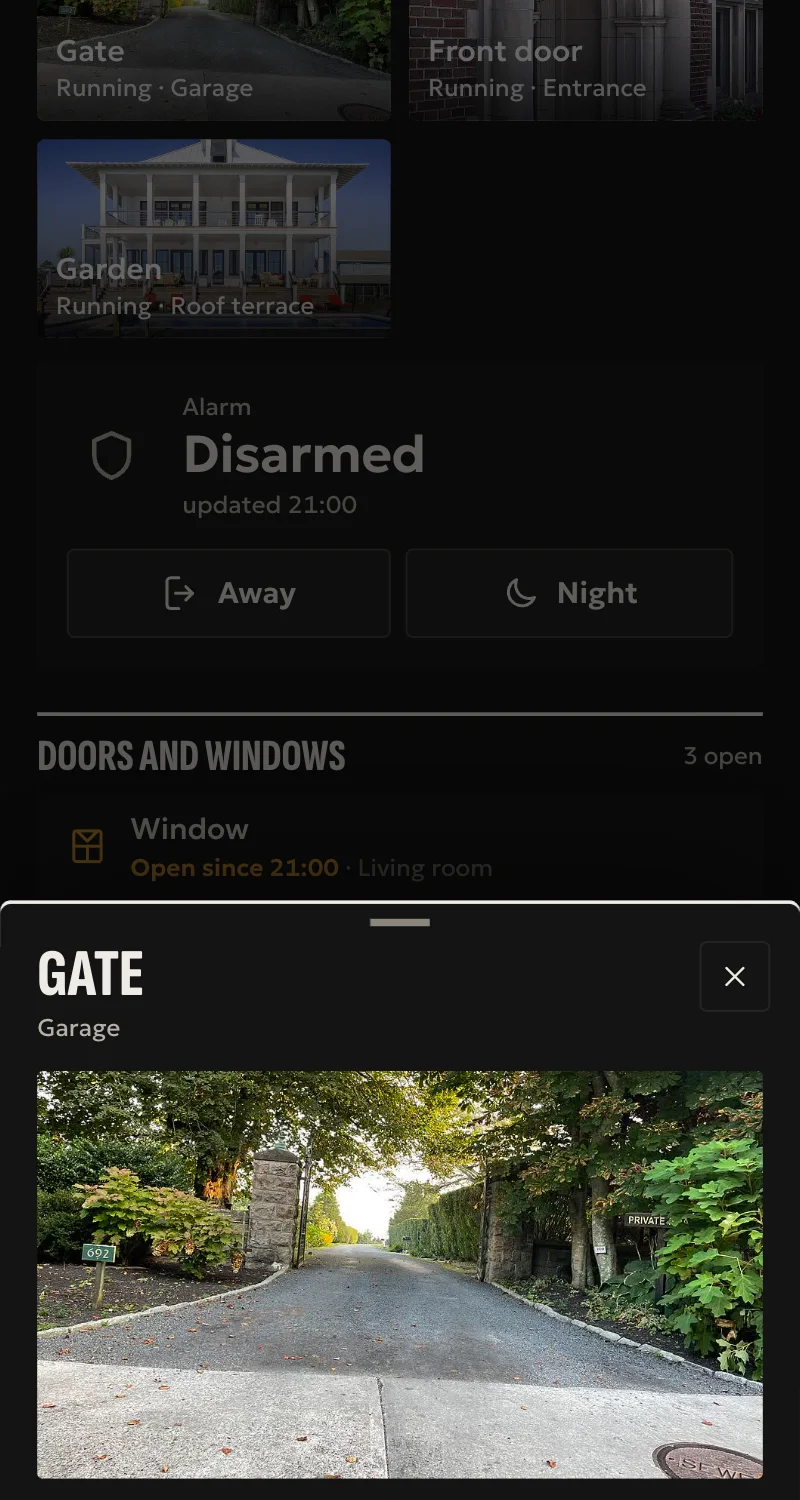
- A doorbell press arrives locally, and opens the camera on wall screens.
- Live and still pictures. On the G4, from the iPhone and iPad app, you hear the door and it hears you, like a call.
- Motion, night vision, turning the camera on and off, muting the chime. All of it in automations too.
- An Aqara hub brings its Zigbee devices along: sensors, switches, plugs, lights, curtains, thermostats, buttons, and the Cube T1 Pro in scene mode with one button per face. Anything added later in the Aqara app arrives by itself.
- From any HomeKit device: lights with brightness, colour and white, curtains with position, thermostats and air conditioners, plugs, fans, air purifiers and valves.
- Locks and a hub's alarm. Unlocking and disarming only by the people who live there, with a confirmation: never by the installer, an automation or the local network.
- Garage doors and motorised doors under the door rules: the installer cannot open them from afar, a member sees them only when given them, and a customer's automation may close them but not open them.
- From Partner: a photo of the label, and the hub finds which device it is by itself. The photo stays on the phone.
- Every command is confirmed by reading the value back from the device. A curtain counts once its motor moves, not when it takes the command.
Worth knowing
- A HomeKit device has one owner: it has to leave Apple Home first, and while it is on Arvio it is not there.
- A garage door opens and closes as HomeKit gives it, with no position or stop. Garage doors and doors do not go from Arvio into Apple Home.
- Fans, air purifiers and valves only turn on and off, with no speed. A curtain stops halfway only if it allows it.
- What Aqara does not give HomeKit does not come: the IR, the cube's gestures outside scene mode, the vibration sensor's tilt and drop, the camera's pan and tilt.
- Sound and talking only in the iPhone and iPad app. On the web and on wall screens the picture comes without sound.
- Aqara's hubs and everything other than the G4 are tried only against a fake device built from the HomeKit specification.
- Tried on a real Aqara G4 on a hub, in one home.
Setup guide
Driver: systems.arvio.hap. Local: it needs no internet and no maker's account. The keys stay on the hub.
For devices with a HomeKit label, on the same network as the hub, and for Aqara's hubs (M2, M3, E1) with what they hold. Tried on the Aqara Video Doorbell G4. The hubs only against a fake device, from the HomeKit specification.
What you need
- The device on Wi-Fi, on the hub's network.
- Its HomeKit label: the 8 digits and the QR beside a small house. Not the Matter code.
- The device out of Apple Home. A HomeKit device has one owner. In the Home app, open it → settings → Remove Accessory.
The cost: while the device is on Arvio it is not in Apple Home, and its Apple Home automations stop.
How it connects
If the driver is not in «Προσθήκη συσκευής» (Add device), bring it into the installation first: Marketplace → this driver → «Εισαγωγή σε εγκατάσταση» (Import into installation). Whatever «Εύρεση στο δίκτυο» (Find on the network) finds comes in by itself.
In Partner, open the hub and go to «Συσκευές» → «Προσθήκη συσκευής» → «Συσκευή HomeKit».
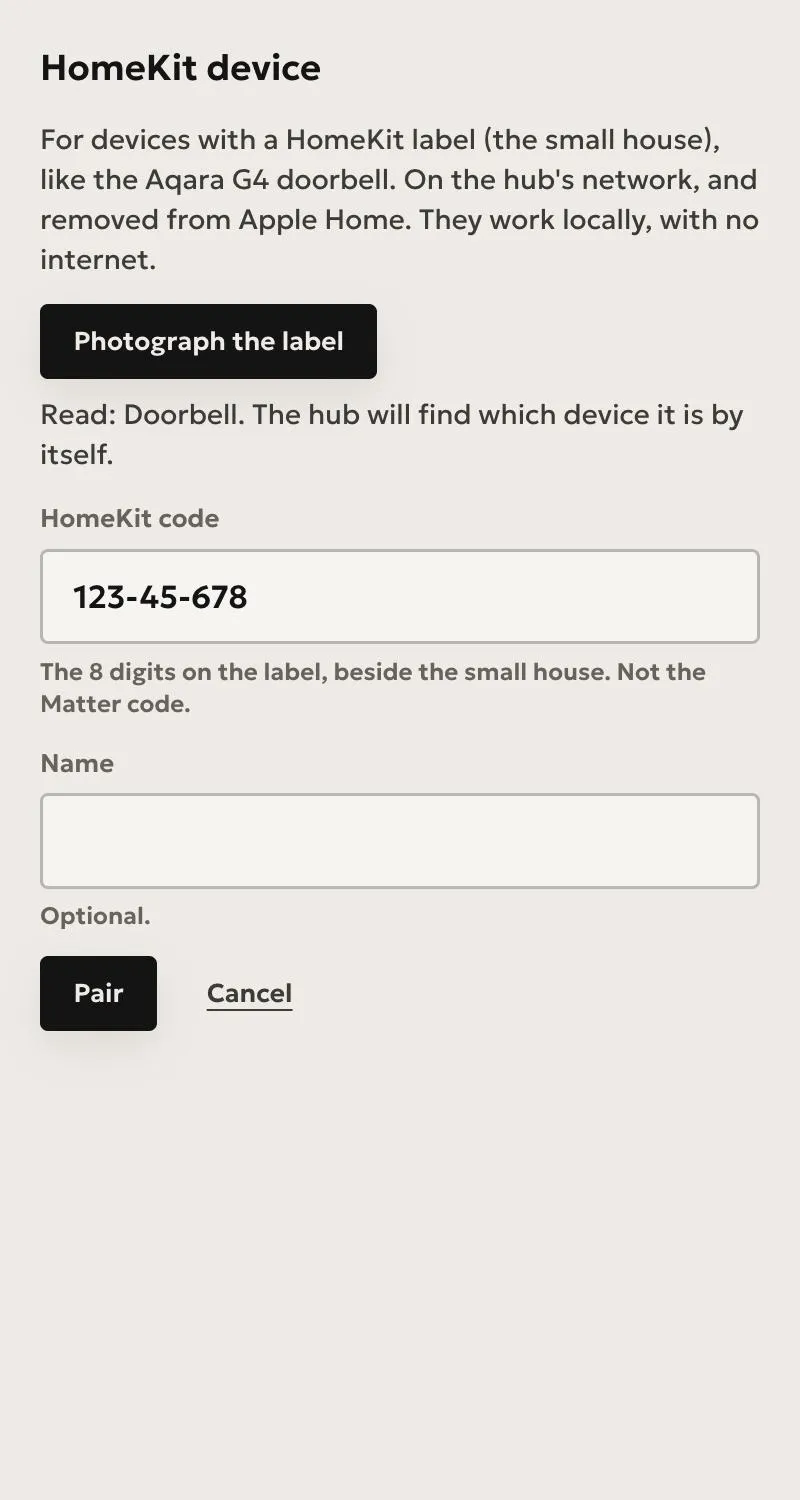
- Press «Φωτογράφισε την ετικέτα», and take a photo of it, or pick one you already have. The hub finds by itself which device it is. The photo stays on your phone, and only the code goes to the hub.
- Without a photo, pick the device from the list and type the 8 digits.
- Give it a name, if you like, and press «Ζευγάρωμα». It takes up to a minute.
For a doorbell it makes a camera, a press sensor, a motion sensor, and switches for night vision, the camera and muting the chime.
To have the picture open on wall screens when the doorbell rings, add the camera to the screen. The panel finds its doorbell by itself.
An Aqara hub
Aqara's M2, M3 and E1 hold their Zigbee devices and give them to HomeKit. Arvio takes the hub, and with it everything on it.
- In the Aqara app: the hub on Wi-Fi, with its devices added there. The Cube T1 Pro in scene mode.
- Take the hub out of Apple Home, however it got there, over HomeKit or over Matter.
- In Partner, «Συσκευή HomeKit», and photograph the hub's HomeKit label: on the back of the E1's stick, on the others usually underneath or on the box.
- The devices arrive with their names from the Aqara app. Put them in rooms from «Δωμάτια».
A device you add later in the Aqara app shows up by itself within two minutes. One you remove goes grey: delete it from «Συσκευές».
| In the Aqara app | In Arvio | |---|---| | Door or window sensor | contact sensor, battery | | Motion sensor P1 | motion, light level, battery | | Temperature and humidity sensor | temperature, humidity. Pressure is not given to HomeKit | | Water leak, smoke | leak sensor, smoke sensor | | Vibration sensor | vibration sensor, with no tilt, drop or strength | | Wall switch | one switch per rocker | | Wireless switch or remote | buttons for automations | | Cube T1 Pro in scene mode | six buttons, one per face. The original cube does not show | | Curtain E1, B1, roller shade E1 | curtain with position. It stops halfway only if it allows it | | Radiator thermostat E1 | thermostat | | Plug | outlet switch | | Bulb or LED strip T1 | light with brightness, and colour or white where it has them | | Lock | lock. Only someone who lives there unlocks it, with a confirmation | | The hub's alarm | alarm. Only someone who lives there disarms it, with a confirmation | | IR remotes | not given to HomeKit |
The G3 and G2H Pro cameras are hubs too. They go in the same way, once nothing else holds them.
What works
- A doorbell press arrives locally, and opens the camera on wall screens.
- Live and still pictures. On the G4, from the iPhone and iPad app, you hear the door and it hears you, like a call.
- Motion, night vision, turning the camera on and off, muting the chime. All of it in automations too.
- From any HomeKit device: lights with brightness, colour and white, curtains with position, thermostats and air conditioners, plugs, fans, air purifiers and valves, buttons.
- Locks and alarms. Unlocking and disarming only by the people who live there, with a confirmation: never by the installer, an automation or the local network.
- Garage doors and motorised doors under the door rules: you cannot open them from afar, a member sees them only when given them, and a customer's automation may close them but not open them. An automation you make that names them opens them.
- Every command is confirmed by reading the value back from the device. A curtain counts once its motor moves.
Limits
- While it is on Arvio it is not in Apple Home.
- A garage door opens and closes as HomeKit gives it, with no position or stop. Garage doors and doors do not go from Arvio into Apple Home.
- Garage doors and doors tried only against a fake device.
- Fans, air purifiers and valves only turn on and off, with no speed.
- An air conditioner on «Αυτόματο» takes no temperature from Arvio: HomeKit wants two limits there.
- What Aqara does not give HomeKit does not come: the IR remotes, the cube's gestures outside scene mode, the camera's pan and tilt.
- Sound and talking only in the iPhone and iPad app. On the web and on wall screens the picture comes without sound.
- Aqara's hubs and everything other than the G4 are tried only against a fake device.
- Tried on a real Aqara G4 on a hub, in one home.
Troubleshooting
- «Τη συσκευή την κρατά άλλος ελεγκτής»: remove it from Apple Home. If it is not there, something else paired with it, or something that no longer exists did. Then it needs a reset on the device.
- «Αυτή η ετικέτα δεν ανήκει σε καμία συσκευή»: after a reset a device can lose its Wi-Fi. Add it to Apple Home by its label, so it gets back on the network, then remove it, and try again.
- «Λάθος κωδικός»: check the 8 digits on the label.
- The photo is not read: take it closer, in good light, or type the digits.
A reset gives the device a new identity, so it has to be added again.
Removing it: Arvio tells the device first, so it is free again with no reset. If the device cannot be reached, Arvio keeps its keys and says so, or the device would be left held by nobody.