
TV and audio
Apple TV
Apple TV on the local network, over the same link the iPhone's Remote uses. Pairing takes the PIN the TV shows.
What it does
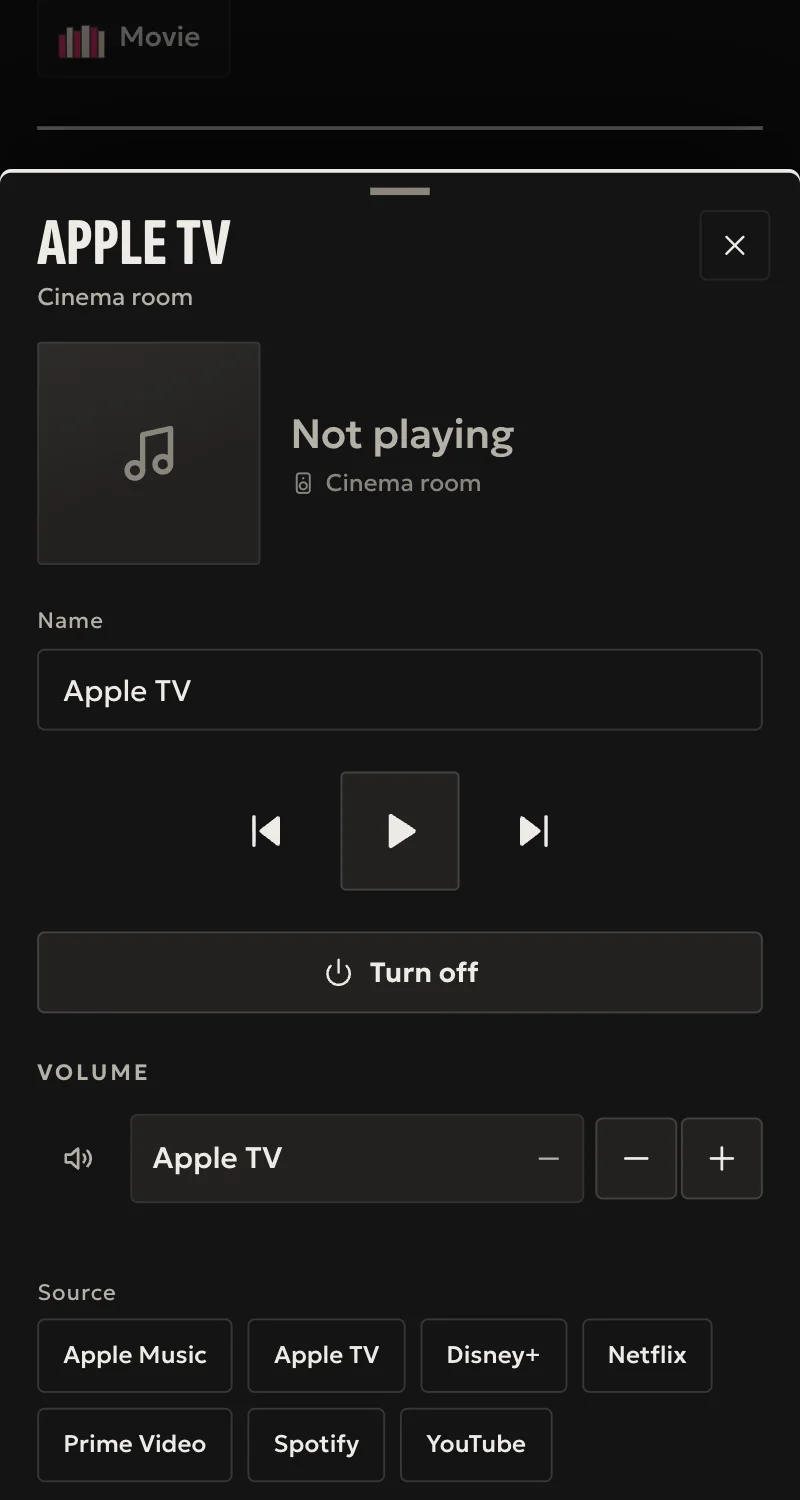
- On and off (wake and sleep), with a power state that follows the Apple TV.
- Play, pause, next, previous.
- Volume up and down, passed on to the TV or receiver as set on the Apple TV.
- Launch an app from the Apple TV's list.
- What is playing, for automations, in any app: a film, a series, a video, live, music, paused or nothing. It takes a second PIN, from the «Apple TV: what is playing» form.
- A command counts only once the Apple TV answers it.
Worth knowing
- Home shows on or off only. Titles, artwork and position never leave the TV.
- A film is anything 70 minutes or longer. YouTube never counts as a film. Netflix does not say what it plays, and counts as a film.
- No arrow, select or menu keys.
- One try per PIN: a wrong PIN means starting again with a new one.
- Apple does not document this link, so a tvOS update can change it.
Setup guide
Driver: systems.arvio.apple-tv. Local: no internet or Apple account needed. Pairing needs someone at the TV to read a PIN.
What you need
- The Apple TV switched on, on the same network as the hub.
- Its address. Reserve it in the router.
- Someone in front of the TV.
How to connect
If the driver is not in «Προσθήκη συσκευής» (Add device), bring it into the installation first: Marketplace → this driver → «Εισαγωγή σε εγκατάσταση» (Import into installation). Whatever «Εύρεση στο δίκτυο» (Find on the network) finds comes in by itself.
In Partner, open the hub and go to «Συσκευές» (Devices) → «Προσθήκη συσκευής» (Add device) → «Apple TV».
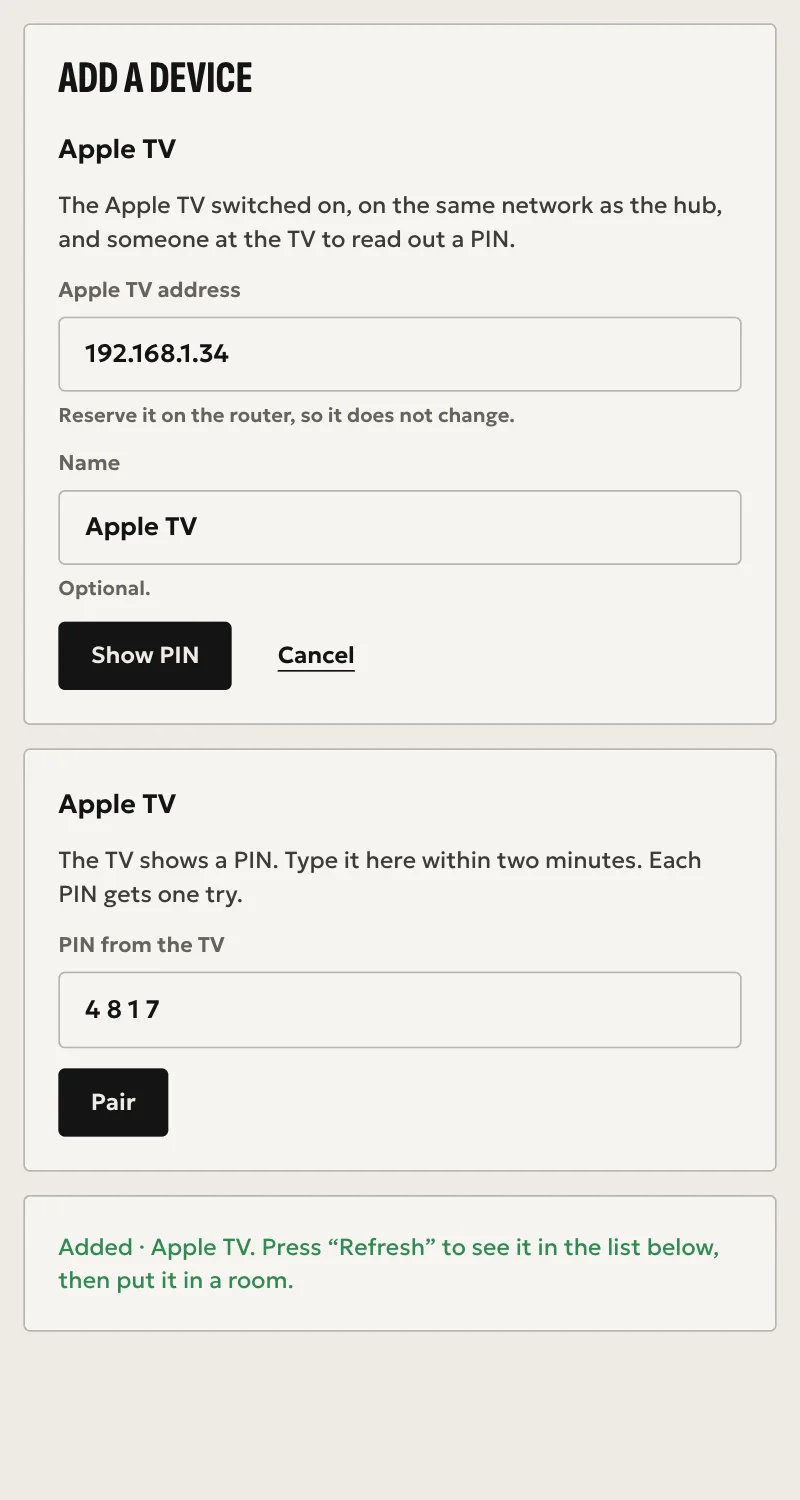
- Pick the Apple TV from those the hub finds on the network, or type its address in numbers. Add a name if you want one.
- Press «Εμφάνιση PIN» (Show PIN), with someone in front of the TV.
- The TV shows a PIN. Type it in Partner and press «Ζευγάρωμα» (Pair).
The pairing has to finish within two minutes, and each PIN gets one try. When Partner says «Προστέθηκε» (Added), press «Ανανέωση» (Refresh). Arvio then shows on the Apple TV among its paired remotes, and the Apple TV appears in the «Συσκευές» list. Put it in a room from «Δωμάτια» (Rooms).
What is playing, for automations
For flows such as "film → lights off" or "doorbell → pause", the hub needs to know what is playing. It is done once, for an Apple TV already added:
- In «Προσθήκη συσκευής» (Add device), press «Apple TV: τι παίζει» (Apple TV: what is playing) and pick the Apple TV.
- Press «Εμφάνιση PIN» (Show PIN). The TV shows a second PIN.
- Type it and press «Ζευγάρωμα» (Pair).
The sensor "<name>: what is playing" arrives, with film, series, video, live, music, paused or nothing, in any app. On the automation canvas it reads "a film starts", "a film, series or video is playing", "is paused". The hub keeps only the kind, never the title.
What works
- On and off (wake and sleep), with a power state that follows the Apple TV.
- Play, pause, next, previous.
- Volume up and down, passed on to the TV or receiver as set on the Apple TV.
- Launch an app from the Apple TV's list.
- What is playing, for automations, with the second PIN.
- A command counts only once the Apple TV answers it.
Limits
- Home shows on or off only. Titles, artwork and position never leave the TV.
- A film is anything 70 minutes or longer. YouTube never counts as a film. Netflix does not say what it plays, and counts as a film.
- A film still getting ready to start can show as "live" for a moment.
- No arrow, select or menu keys.
- Apple does not document this link, so a tvOS update can change it.
Troubleshooting
- Wrong PIN, or the two minutes passed → Partner goes back to the start. Press «Εμφάνιση PIN» (Show PIN) again, and the TV shows a new one.
- Partner says the hub does not see the Apple TV on the network → pairing needs the Apple TV's mDNS announcements, even when you type the address by hand. Check that they are on the same network segment and that multicast passes.
- Partner says the Apple TV does not answer at that address → check the address, and that the Apple TV is on.
- It shows as unavailable → the Apple TV is off the network. The driver keeps trying. It follows a new address or port by itself. If this lasts, pair it again.
- It reads as on while nothing plays → this is expected. The state is power only. Playing and paused come from the "what is playing" sensor.
- The "what is playing" sensor is unavailable → the hub lost its AirPlay link to the Apple TV, and picks it up again by itself. If this lasts, do the second pairing again.
- Partner says the hub runs an older version of Arvio Core → the hub needs updating. Ask SFK for it, then try again.