
TV and audio

Android TV και Google TV
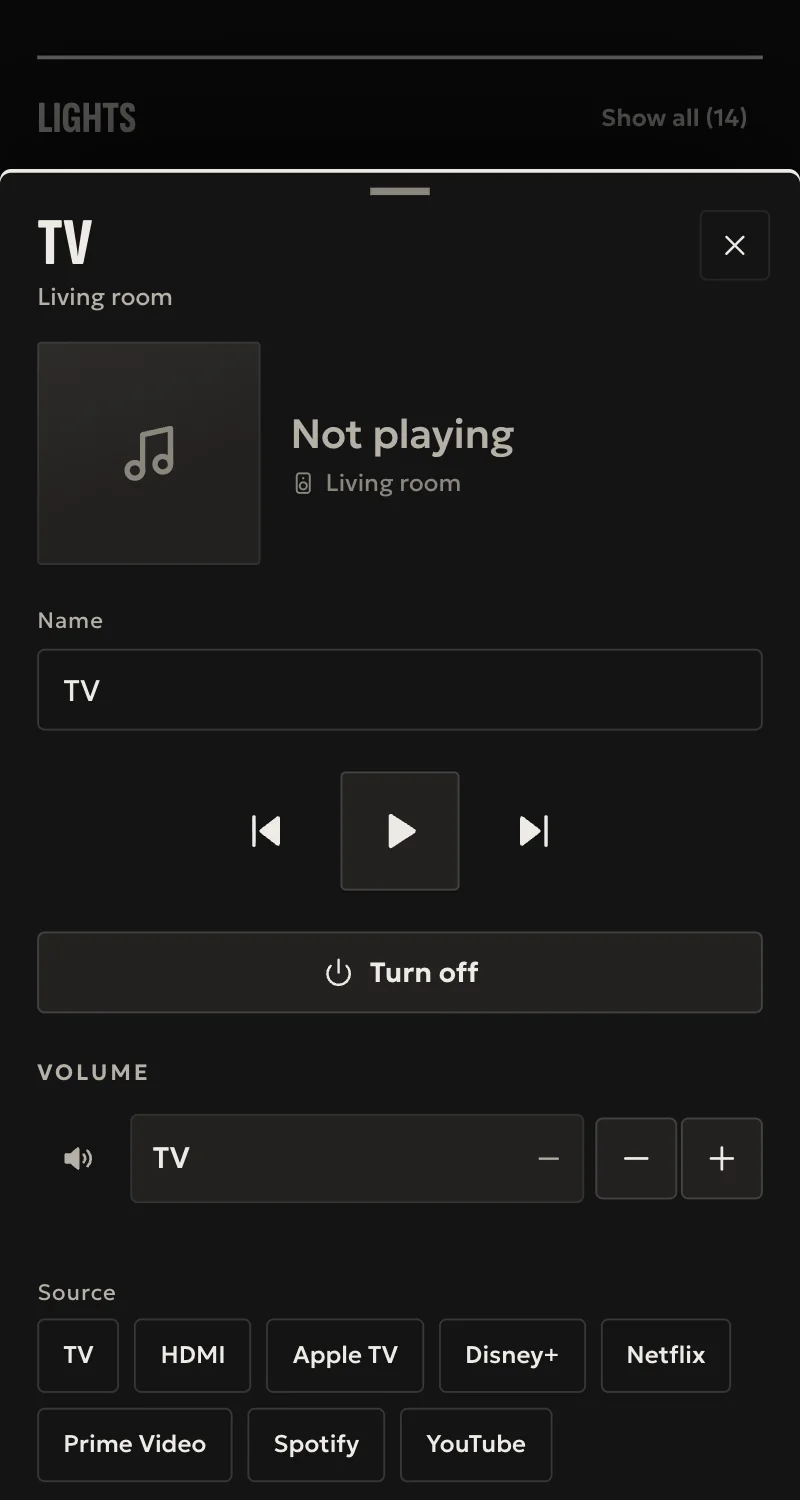
TVs and devices with Android TV or Google TV on the local network: on, off, volume and Home's remote. No internet or Google account needed.
What it does
- Connected from Partner with the code the TV shows. The hub finds it on the network by itself.
- On and off, confirmed by the TV itself.
- Volume and mute as the TV reports them, and the playback keys.
- Home's remote: arrows, OK, back, home.
Worth knowing
- The title, the app that plays, sources and channels are not shown.
- A TV in deep sleep, off the network, does not turn on from Home.
- Tested against a simulated TV so far, not yet on a real one.
Setup guide
Driver: systems.arvio.android-tv. Local: it talks to the TV directly, as Google's remote app on a phone does. No internet or Google account needed.
For TVs with Android TV or Google TV (Sony, Philips, TCL, Hisense, Xiaomi and others), Nvidia Shield and Chromecast with Google TV.
What you need
- The TV on, on the same network as the hub, its address reserved on the router.
- Someone in front of the TV to read a six-character code.
- To turn it on from Home: in the TV's settings, standby that keeps the network (often called «Network standby» or «Quick start»).
How it connects
If the driver is not in «Προσθήκη συσκευής» (Add device), bring it into the installation first: Marketplace → this driver → «Εισαγωγή σε εγκατάσταση» (Import into installation).
In Partner, open the hub and go to «Συσκευές» → «Προσθήκη συσκευής» → «Android TV και Google TV».
- Pick the TV it found, or type its address, and press «Εμφάνιση κωδικού» (Show code).
- The TV shows a code, e.g.
4A7C2E. Type it within two minutes and press «Σύνδεση» (Connect).
When Partner says «Προστέθηκε» (Added), press «Ανανέωση» (Refresh) and put the TV in its room.
What works
- On and off, confirmed by the TV.
- Volume and mute as the TV reports them. The volume moves a step at a time, as with the remote.
- Play, pause, stop, next, previous.
- Home's remote: arrows, OK, back, home.
- What the TV's own remote changes in power and volume shows in Home at once.
Limits
- The title, the app that plays, sources and channels are not shown.
- A TV in deep sleep, off the network, does not turn on from Home.
- Tested against a simulated TV so far, not yet on a real one.
If something goes wrong
- «The TV is not answering»: it is off, on another network, or has no Android TV or Google TV.
- «The code does not match»: start again. The TV shows a new code each time.
- The TV shows «Unavailable» after a factory reset or clearing «Android TV Remote Service»: the TV forgot the hub. Connect it again from the start.