
Security

Ajax Systems
Ajax alarm systems through Arvio Cloud. You link the Ajax account in Partner and choose which Ajax hubs belong to this place. Needs internet.
What it does
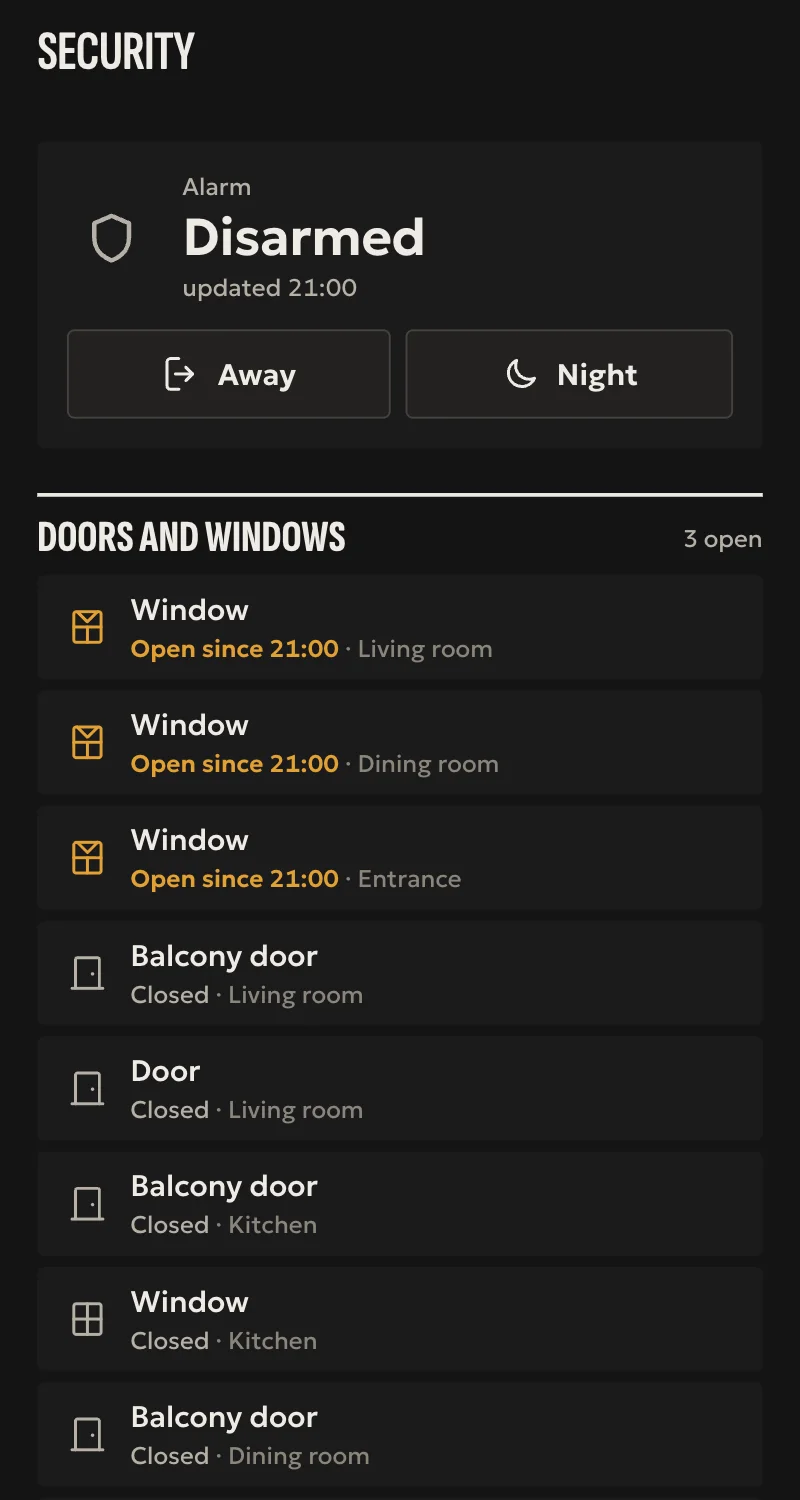
- Arm, night mode and disarm, each confirmed by Ajax. Disarming needs confirmation in the app.
- The Ajax hub's tamper, external power and battery.
- Whatever each device reports: door, external contact, leak, motion, smoke, tamper, problem, temperature, battery.
- LightSwitch channels, relays, wall switches and sockets as switches, confirmed by Ajax.
- A relay in impulse mode counts as a door: the installer cannot open it from afar.
- On a hub with groups, a panel per group, armed and disarmed with Ajax confirming. Night mode stays for the whole hub.
- Keyfob and button presses as events for automations, when Arvio Cloud's live feed is on.
- State refreshed every 15 seconds.
Worth knowing
- Needs internet and Arvio Cloud. If they are gone for two checks, about 30 seconds, everything shows as unavailable.
- The sockets' energy readings, cameras and the alarm's triggered state are not supported yet.
- Relays, wall switches, sockets and groups are tested against a simulation so far, not yet on a real device.
- Motion comes only from the live feed. Without it a motion detector reads as no motion.
- The Ajax link lasts a year with 2FA on the account, and 7 days with automatic renewal without it.
Setup guide
Driver: systems.arvio.ajax. Cloud: the hub reaches Ajax through Arvio Cloud, never directly. Needs internet and the Ajax account.
You connect this one yourself in Partner.
What you need
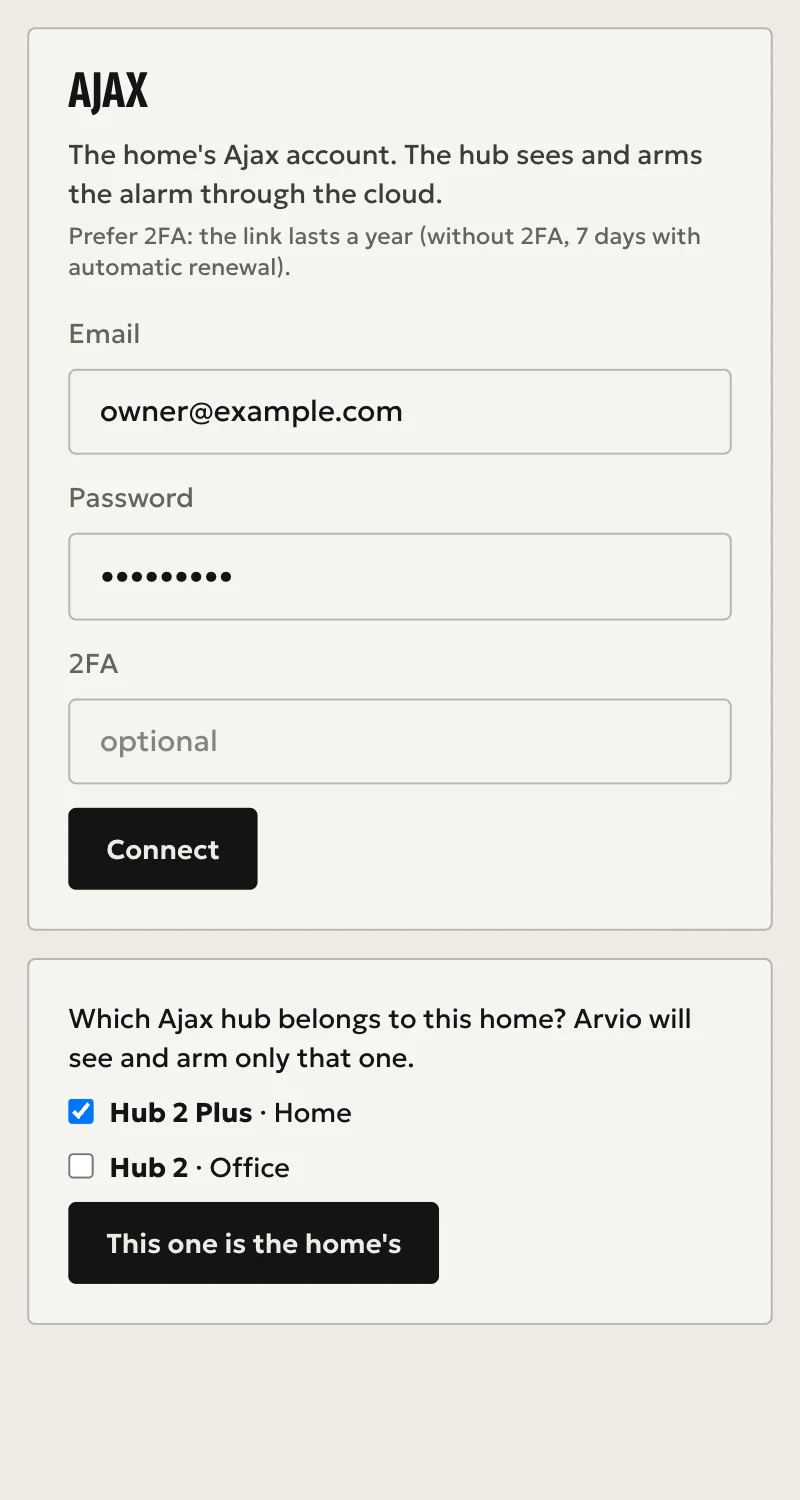
- The email and password of the Ajax account that has the alarm, and its 2FA code if it uses one. Prefer an account with 2FA: the link then lasts a year, against 7 days with automatic renewal.
- Partner access to this installation, with the hub tied to a site.
- The hub online.
How to connect
- In Partner, open the hub and go to the «Hub» tab. Find the «Ajax» card.
- Enter the email, the password and the 2FA code, then press «Σύνδεση» (Connect).
- Partner lists the Ajax hubs on that account. An installer's account can see other places too, so tick only this place's hubs. Then press «Αυτό είναι του σπιτιού» (This one belongs to this home). Arvio sees and arms only those.
- The hub links by itself. In a few seconds the alarm and its sensors appear under «Συσκευές» (Devices).
- With someone on site, test from the app: night mode, then disarm with its confirmation.
If the hub does not answer at step 4, for example because it is offline, Partner shows a token once. Copy it straight away and contact SFK to finish the link on the hub. Do not send it by email or chat.
The hub never holds the Ajax password. It keeps only a token that opens this site's Ajax data in Arvio Cloud.
What works
- Arm, night mode and disarm, each confirmed by Ajax. Disarming needs confirmation in the app.
- The Ajax hub's tamper, external power and battery.
- Whatever each device reports: door, external contact, leak, motion, smoke, tamper, problem, temperature, battery.
- LightSwitch channels, relays, wall switches and sockets as switches, confirmed by Ajax.
- A relay in impulse mode counts as a door: the installer cannot open it from afar.
- On a hub with groups, a panel per group, armed and disarmed with Ajax confirming. Night mode stays for the whole hub.
- Keyfob and button presses as events for automations, when Arvio Cloud's live feed is on. Arming from a keyfob then shows within seconds.
- State refreshed every 15 seconds.
Limits
- Needs internet and Arvio Cloud. If they are gone for two checks, about 30 seconds, everything shows as unavailable.
- The sockets' energy readings, cameras and the alarm's triggered state are not supported yet.
- Relays, wall switches, sockets and groups are tested against a simulation so far, not yet on a real device.
- Motion comes only from the live feed. Without it a motion detector reads as no motion.
Troubleshooting
- The «Ajax» card is missing → the hub is not tied to a site. Tie it first.
- Partner says the account has no Ajax hubs → use the account that has the alarm.
- Everything shows as unavailable → the internet or Arvio Cloud is gone, or the Ajax hub is offline. It comes back by itself.
- Home shows «Δεν έγινε» (not done) straight away → Ajax may have refused the command. Look in the Ajax app for the reason.
- Home shows «Δεν έγινε» (not done) after several seconds → Ajax did not show the new state in time. Check the Ajax app before you repeat it.
- It stopped working after a while → the link has expired. Connect the account again from the «Ajax» card.
- Motion detectors never trigger → the live feed is not on. Ask SFK.